Access control
Per-user access, roles and feature permissions help control what users can see and do across departments, sites and business units.
GGK supports incident, accident and near-miss reporting from desktop, tablet and mobile, with follow-up tools for investigations, RIDDOR review, tracking, dashboards and organisation-specific reporting.
The platform is designed for councils, education groups, facilities teams, contractors and multi-site organisations that need clear records, controlled access and practical oversight.
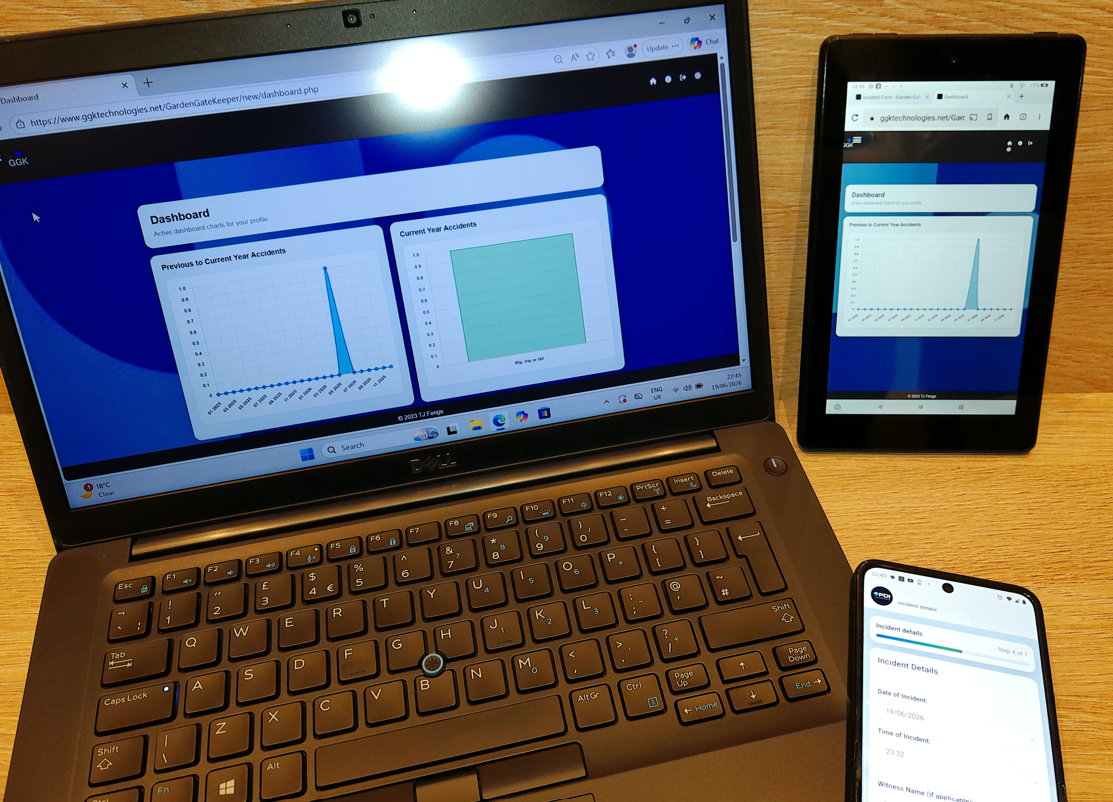
Real GGK screens. Desktop, tablet and mobile views support different reporting and management workflows.
GGK is built to capture the details organisations need without forcing every event into the same scenario. Reports can cover accidents, incidents and near misses, including situations where the reporter is the impacted person or is reporting on behalf of somebody else.
Reporting flows can support on-site incidents, off-site incidents and alternative locations, with structured details for witnesses, harm or injury information, attachments and submission confirmation.
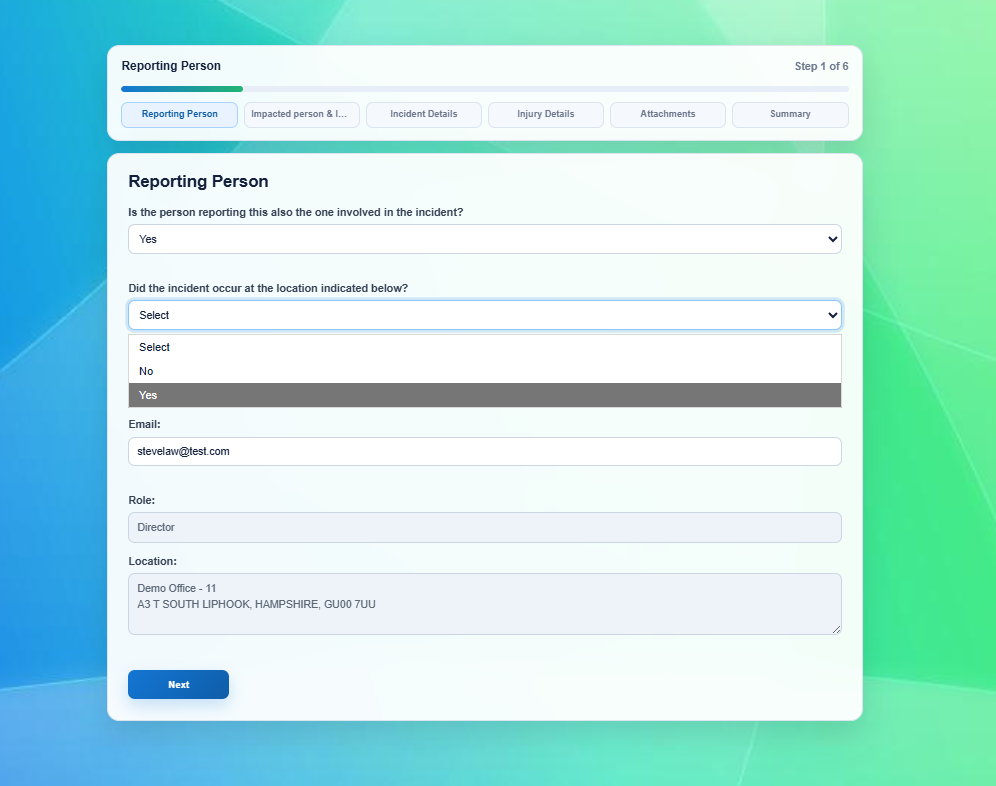
Structured capture. Incident details are recorded through a practical reporting flow.
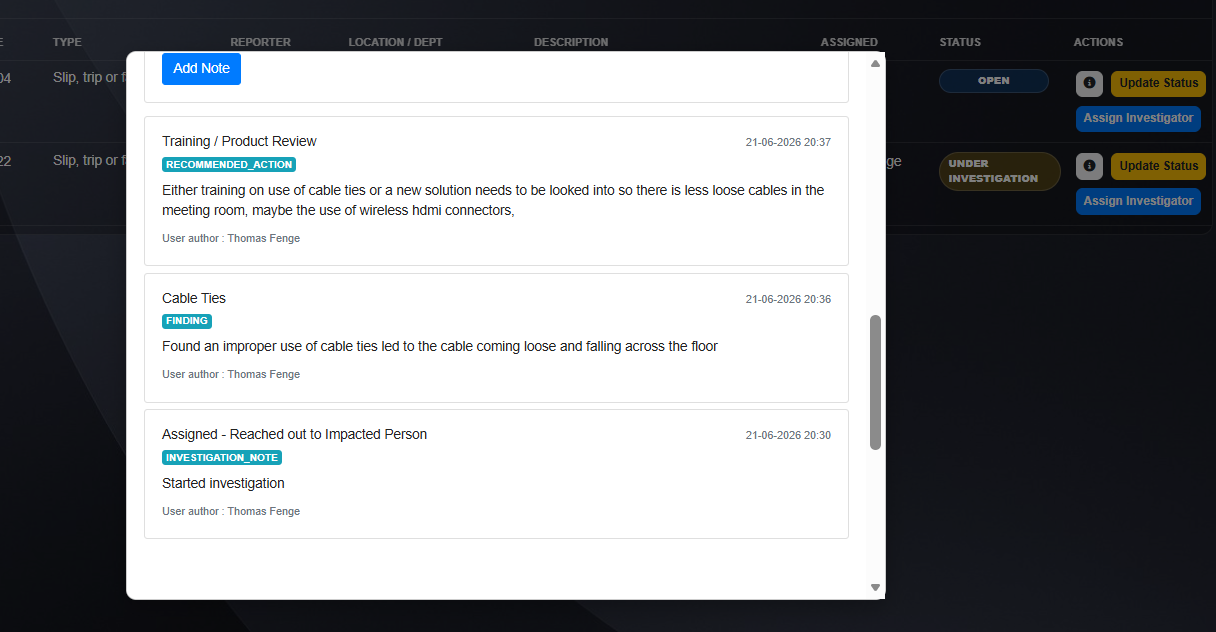
More than submission. Teams can continue managing an incident after it has been logged.
GGK helps organisations manage incident ownership, investigation notes, follow-up actions and status changes so incidents can progress from initial report through to review and closure.
GGK can help teams identify incidents that may need RIDDOR review, notify appropriate users, retain supporting information and manage the internal workflow around investigation and closure.

Review visibility. Tracker filtering helps teams find and review relevant incidents.
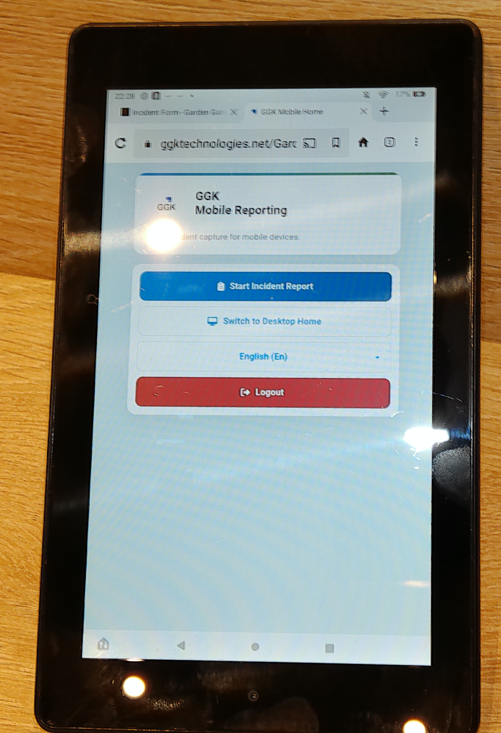
Mobile-friendly reporting. The reporting entry point is designed for quick access from tablet and mobile screens.
GGK supports desktop, tablet and mobile reporting, including offline incident capture for situations where connectivity is limited. This is useful for field teams, estates, depots, transport, public buildings and distributed sites.
GGK gives managers and safety teams practical views of reported activity, progress and reporting outputs.
Incident tracking. Search and filtering help teams review ownership, status, follow-up actions, notes and progress.
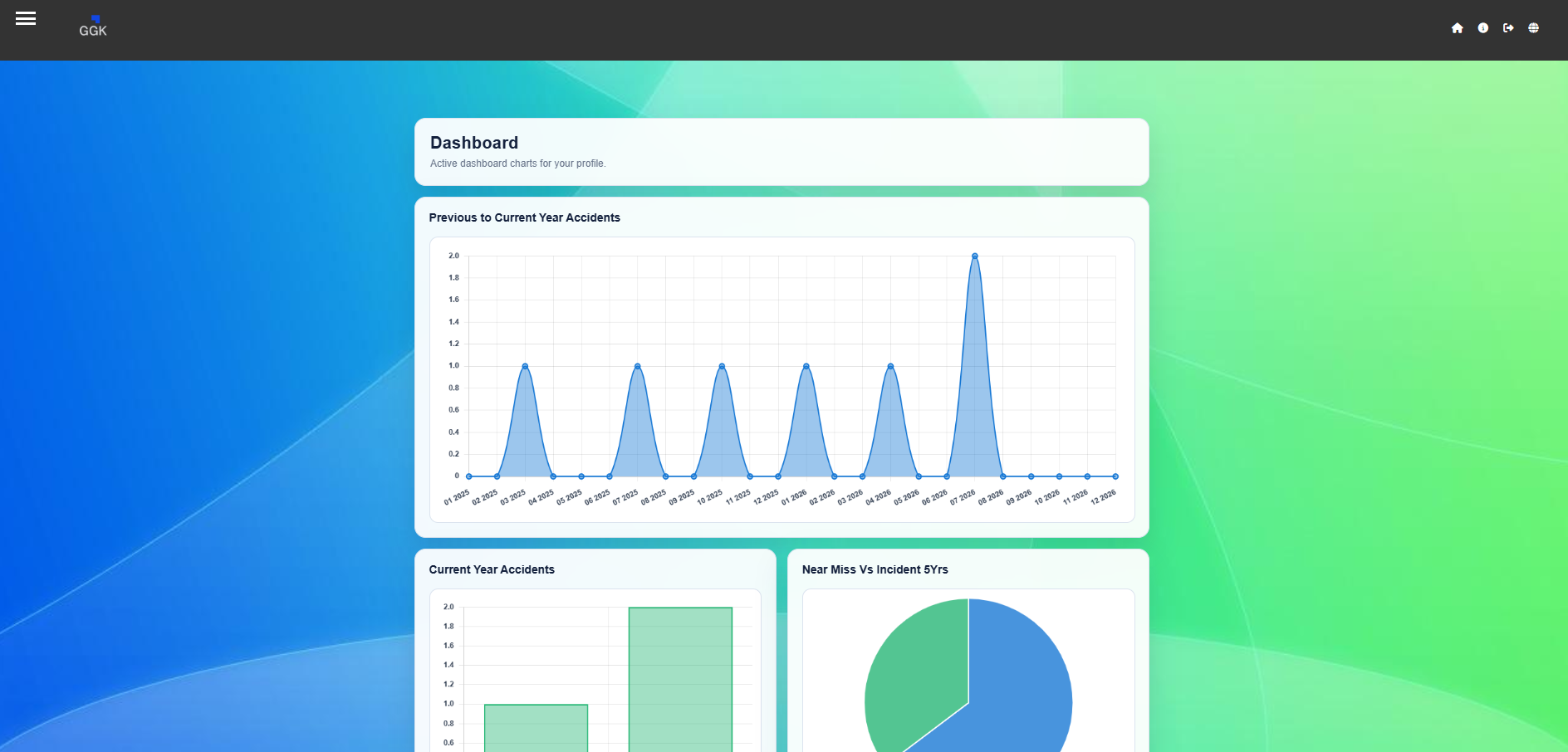
Dashboards. Personalised dashboards and configurable charts support user-specific visibility and multi-site review.
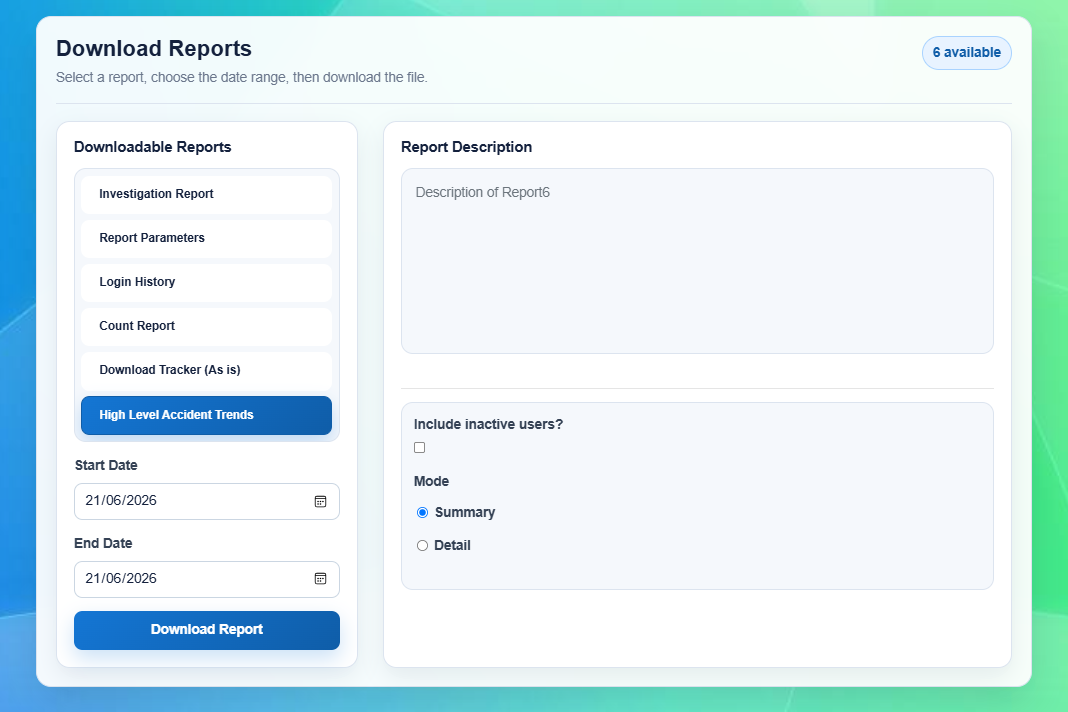
Excel reporting. Assigned reports can use dynamic controls, parameters, date filtering and organisation-specific templates.
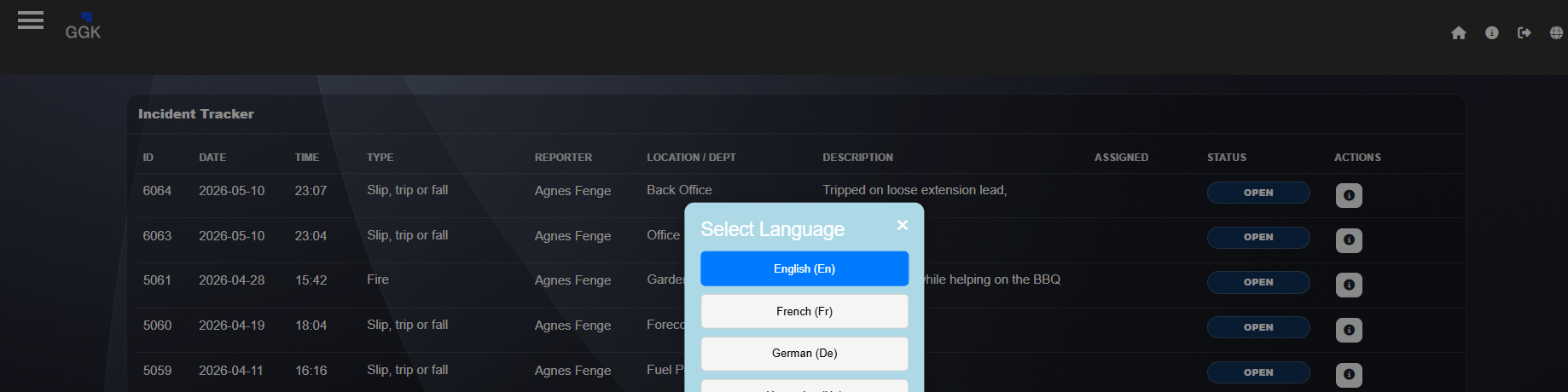
Multilingual retrieval. Language support helps multilingual teams review and work with incident information.
GGK can be configured around the structure, users and reporting needs of the organisation rather than forcing a fixed setup.
Per-user access, roles and feature permissions help control what users can see and do across departments, sites and business units.
Business-unit and location visibility can support councils, education groups, facilities teams and other distributed organisations.
Organisation-specific dropdowns, mappings, branding and report options help GGK match practical internal processes.
Language support can assist multilingual reporting and retrieval where teams need to work across different language settings.
Automated email alerts can support incident notifications, submission confirmations and follow-up routing where configured.
API integration capability can support organisation-specific integrations and future automation where required.
Lone Worker functionality is available as an additional capability alongside GGK's core incident-management proposition. It can support mobile-friendly lone working sessions and safety checks.
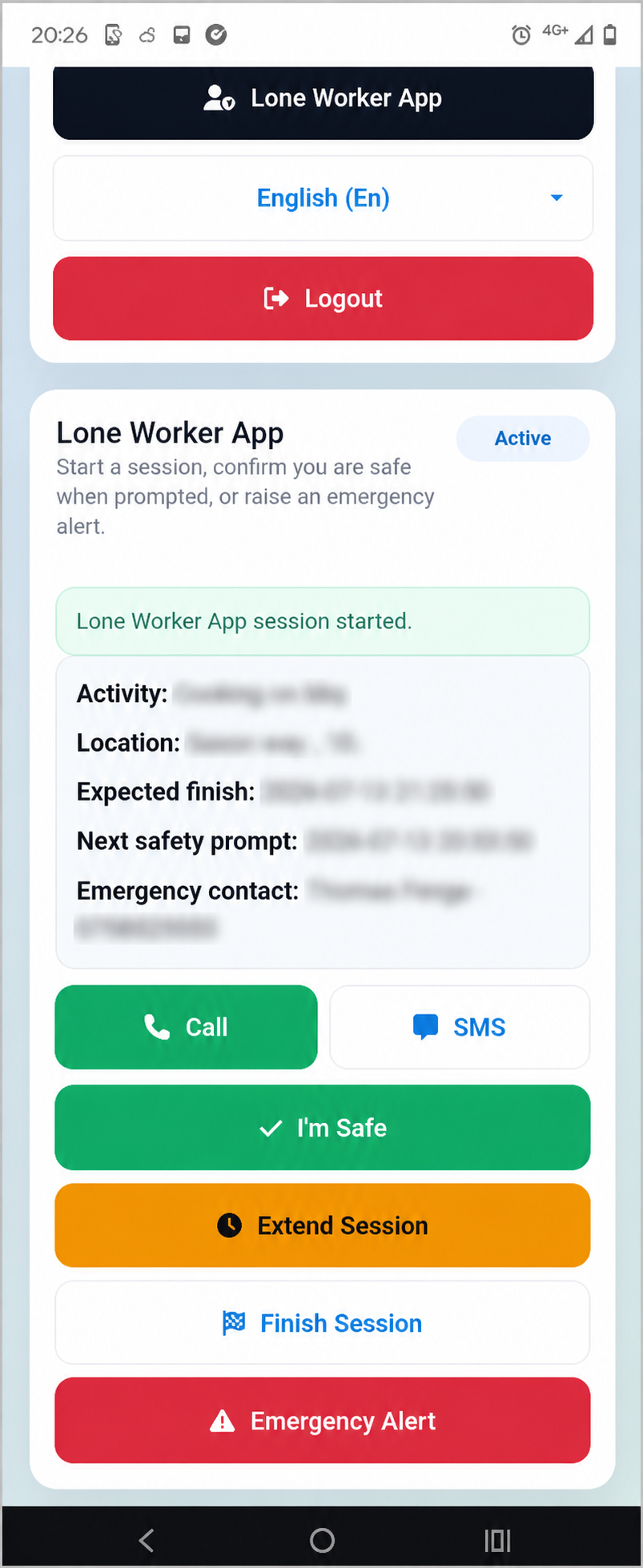
Optional module. Lone Worker support is positioned as an additional operational capability.
Request a demo or product discussion to see how GGK could fit your reporting, tracking and procurement needs.